Disconnected logs
Hours that are not tied to a specific project workspace or Activity Tag are hard to interpret, impossible to group meaningfully, and almost useless when you have to justify them in a client report.
Project Workspace
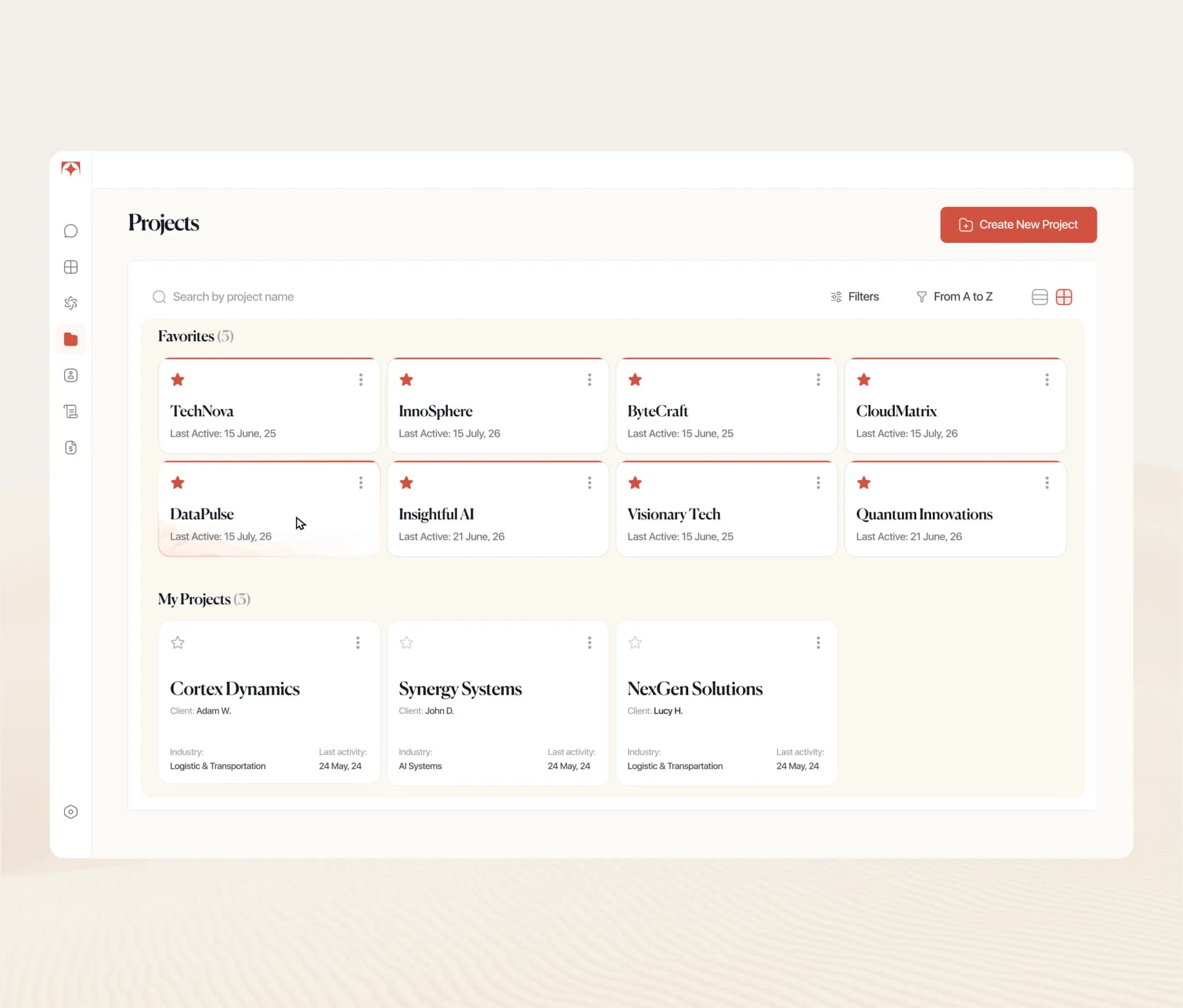
Tolmete gives each client or initiative a connected project workspace where members, Activity Tags, time logs, AI summaries, reports, and invoices stay in one place.

The Problem
When logs live outside a structured project workspace, it becomes hard to generate credible summaries, defensible invoices, or clear AI-generated project overviews. Tolmete Projects solve this by attaching every log to the right project, member, and Activity Tag from day one.
Most teams know how many hours were tracked last week but struggle to see which project those hours belong to, what type of work they represent, or how that story should appear in a client report.
Hours that are not tied to a specific project workspace or Activity Tag are hard to interpret, impossible to group meaningfully, and almost useless when you have to justify them in a client report.
Managers see total hours per person, but they cannot quickly tell how work is distributed across projects, days, or categories of work — which makes balancing project team activity guesswork instead of a clear decision.
Raw hour totals do not answer the client’s real question of “what exactly did the team do?”, so every billing cycle turns into a manual search for explanations that should have been available in one structured project workspace.
See It in Motion
Projects give teams a clear way to move from a high-level list of workspaces into detailed activity views for each client, initiative, or product workstream.
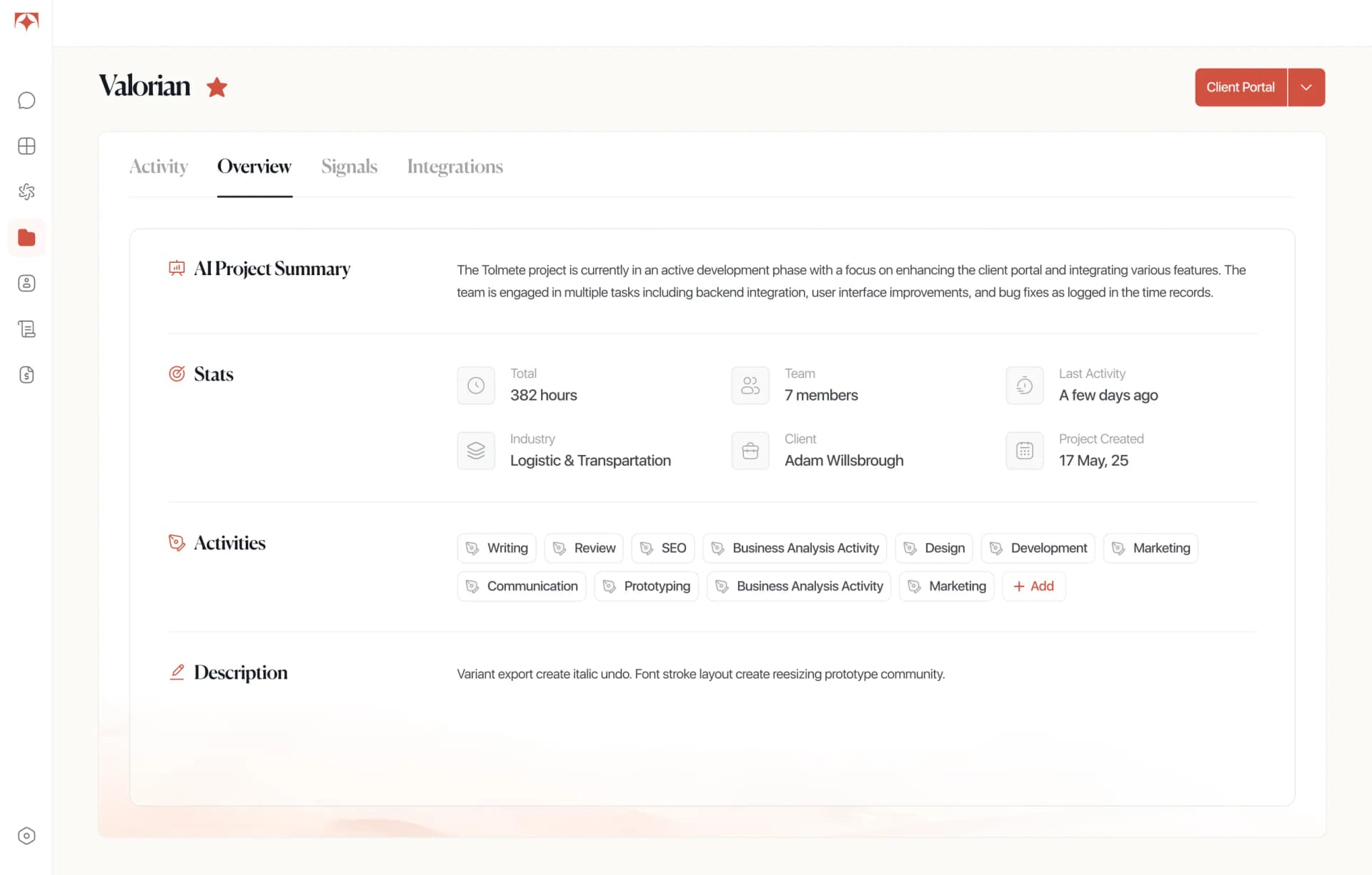
Inside a project, users can review team activity, open individual time logs, check status indicators and understand how work is distributed across members, days, and Activity Tags.
See How Tolmete Projects Structure Work in a Way Your Team Can Rely on Every Week
When time logs land inside a connected project workspace from the start, reporting and client conversations stop being a reconstruction exercise.
How It Works
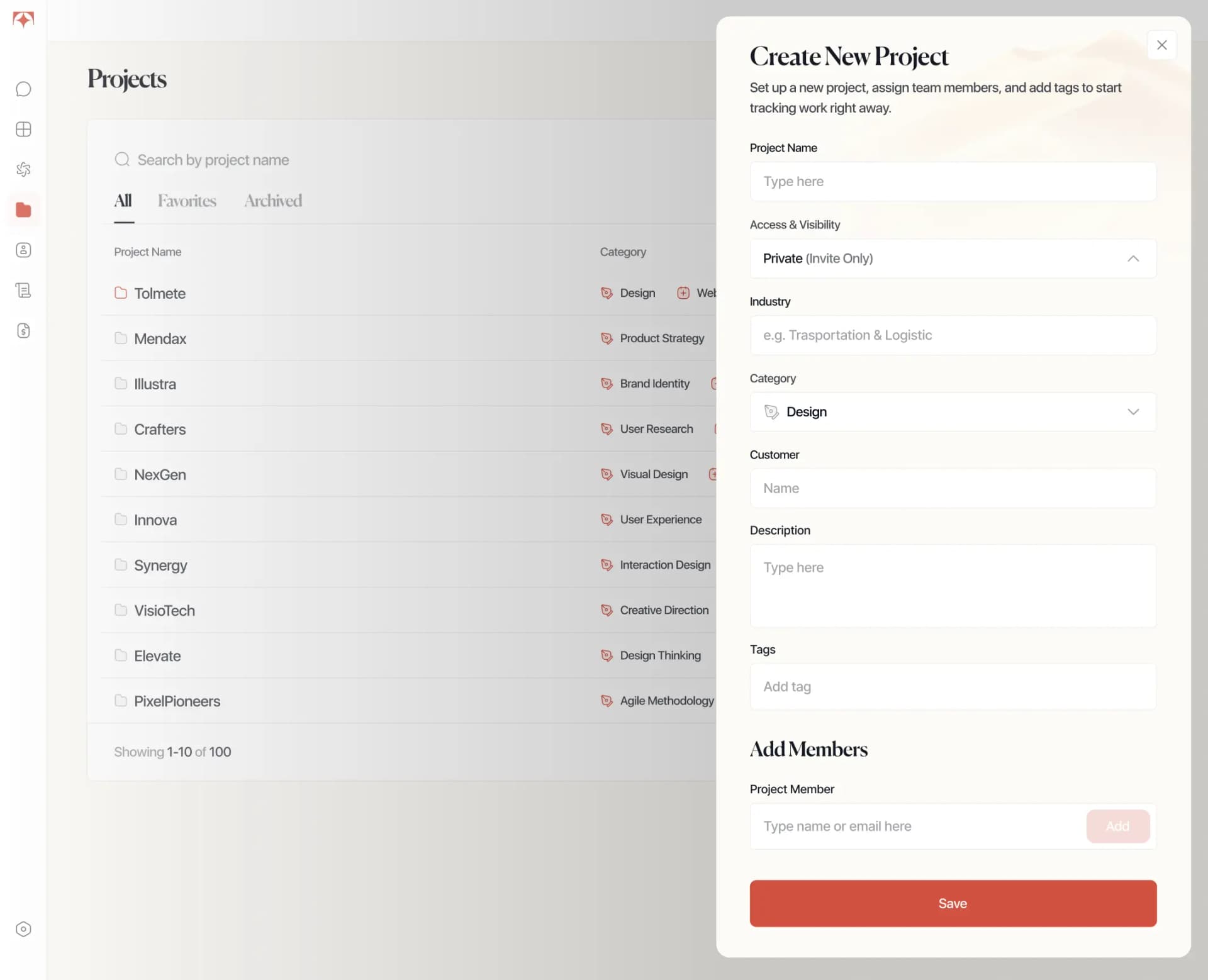
These steps turn a generic project activity workspace into a project workspace for time logs that feeds every downstream decision, summary, and client deliverable.

Key Capabilities
Every project workspace combines members, Activity Tags, project history, reporting, and billing into one structured environment built for daily operations.
Each client, engagement, or internal initiative gets its own project workspace for teams, so members, work history, Activity Tags, reports, and invoices stay together instead of dispersing across tools and spreadsheets.
You define project-level Activity Tags that match how the team actually works on that project — for example, Backend Development, Brand Design, Discovery, PM, QA — so strategic goals and project objectives map cleanly to the way time is logged.
Tolmete gives you weekly and monthly views of project team activity with daily drill-downs and simple status indicators for vacation, sick leave, and public holidays, which makes workspace for project teams easier to manage without extra manual summaries.
Because every time log is connected to a project, member, and Activity Tag, Tolmete can generate sharper AI summaries, cleaner project workspace for reporting, and defensible client evidence based on structured work patterns instead of vague descriptions.
Key Capabilities
Opening a project in Tolmete shows a weekly or monthly project activity view: who is on the project, how much they logged, and where there are gaps or spikes in work. From there, you can click into any day's time cell to inspect the underlying entries and see exactly which tasks were worked on, with Activity Tags and member details in one workspace for project activity.
See project team activity over weeks or months to understand workload and overall pace at a glance.
Review a concise AI summary per contributor to understand what they did on the project without reading every individual entry.
Spot gaps in project workload visibility quickly because non-working days are clearly marked in the project activity view.
Open any day’s time cell to review the exact logs behind it, including Activity Tags, durations, and notes.
When you need more detail, you can switch to an individual contributor and see a Personal AI Summary that explains their work on that project in clear language rather than raw data.
Why Tolmete is Different
A Project in Tolmete is a workspace that connects your team members, Activity Tags, and time logs under one client or initiative — so every hour tracked has context from the moment it is logged. A team project workspace that connects logs and context behaves very differently from a flat list of hours.
The Old Way

The Automated Way
Flat time logs show how many hours were tracked; Tolmete Projects show what those hours represent.
FAQ
Everything you need to know about Tolmete.