
Hours Without a Work Pattern
Teams see total hours, but not whether effort was balanced, concentrated in one project, or already drifting into overtime.
Contributor Dashboard
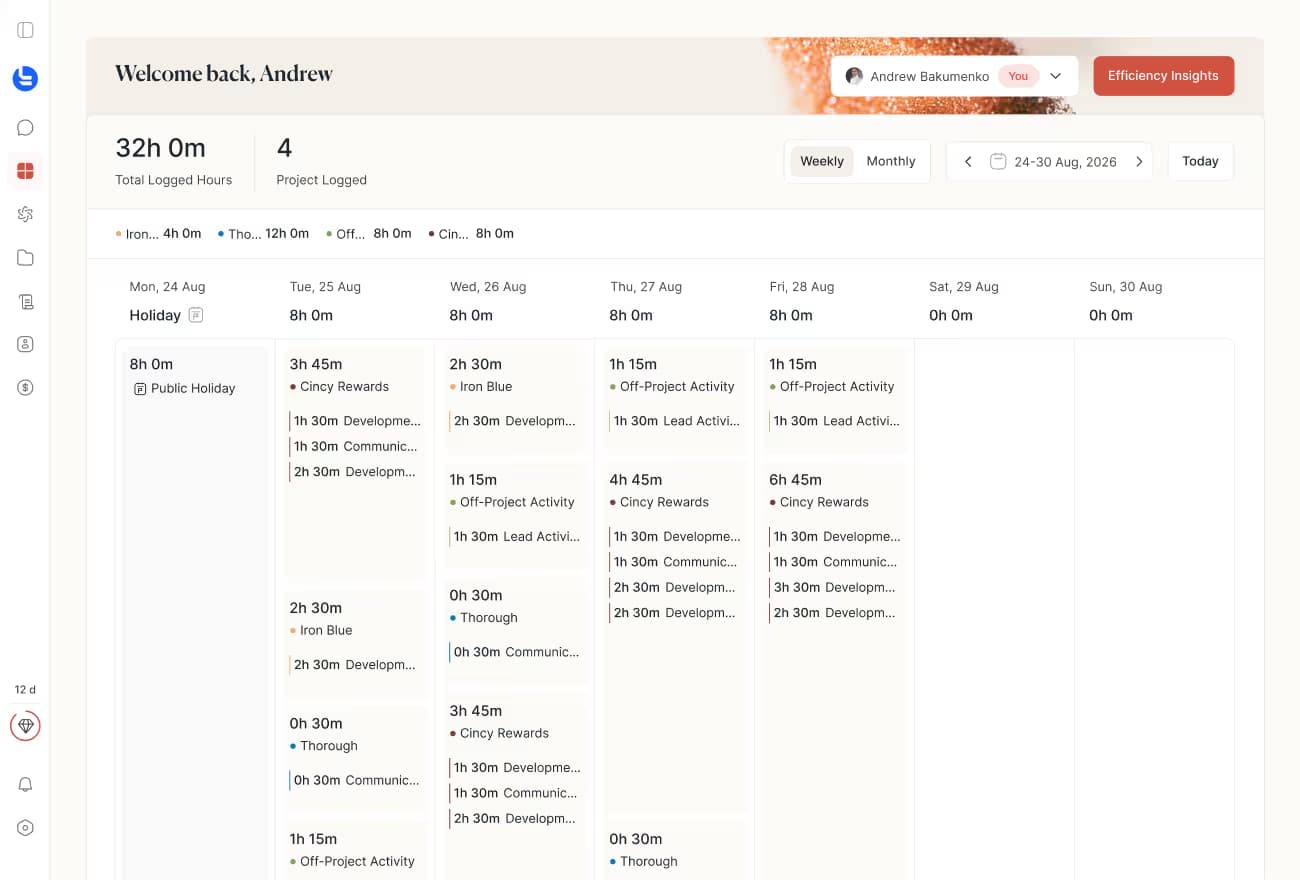
Tolmete Contributor Dashboard turns time logs into a weekly work view contributors and managers can actually use. One place to manage records, track progress, and spot workload gaps before they affect the team.
The Problem
In many teams, time tracking becomes a record-keeping task. Contributors add logs at the end of the day, managers review hours manually, and project leaders see totals without enough context. Raw time data does not show how effort was distributed, whether work was balanced, or whether logging patterns indicate overtime or an uneven workload.
Teams see total hours, but not whether effort was balanced, concentrated in one project, or already drifting into overtime.
Managing time logs across multiple screens slows teams down and creates more correction work than actual logging.
Overtime, missing logs, and uneven workloads often become apparent only after the week is already closed.
Tolmete turns logged time into useful work context. Users manage their own records more quickly, while managers get the details they need without having to request additional reports.
See It in Motion
Contributor Dashboard acts as a team activity dashboard, turning logged work into a weekly visual view. Contributors see their own patterns, managers see the team's workload, and everyone gets the context they need without extra reporting.
How It Works
Contributor Dashboard connects daily logging with weekly review. Built as an AI-powered team dashboard, it gives users a single place to manage records, while managers can see how work is distributed across the team without chasing updates.
01/04
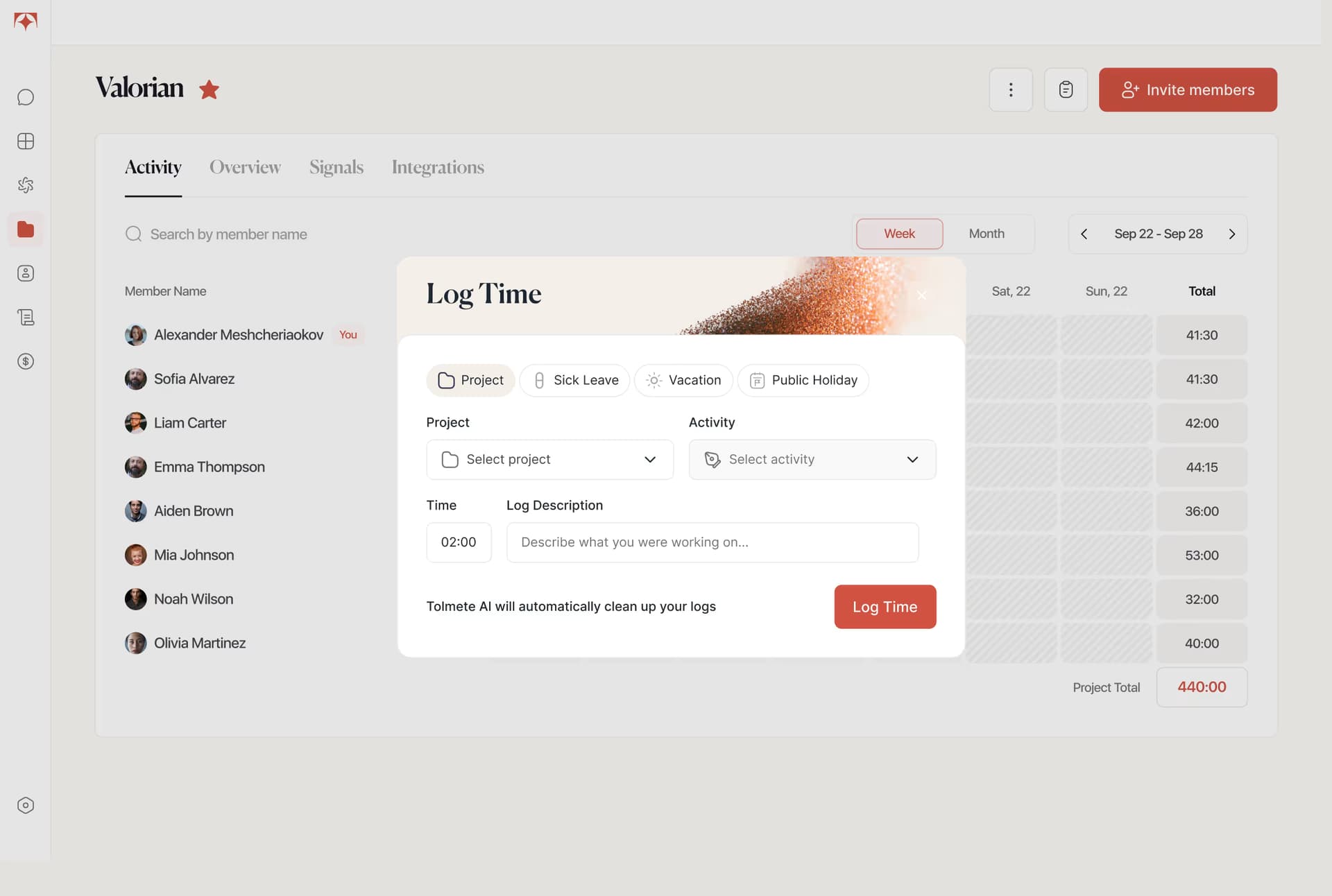
Contributors add time logs with project, activity type, duration, and description. Logs can be created directly from the weekly grid by clicking an empty day area or using the quick-add button.
Key Capabilities
Contributor Dashboard gives teams a clearer weekly record: what was logged, where effort went, which patterns need attention, and which records are ready for review. Managers get better workload visibility and practical team workload insights without extra reporting.
A visual time tracking dashboard shows logged work across the week, with grouped log blocks, daily progress, and goal-based context.
Contributors manage work logs in one place, making time log management faster and manager review easier.
AI activity insights highlight overtime, under-logged days, repeated activity types, and project concentration before the week closes.
Tolmete improves raw descriptions with AI, creating clearer logs for review, reporting, handoff, and AI productivity insights.
Role-based value
Contributor dashboard adapts to the role. Contributors see their own work, Project Admins review their team, and Super Admins get visibility across the organisation
Contributors get an employee time tracking dashboard for their own logs, progress, and workload. They manage daily records, track personal progress, and stay in control without extra reporting.
Project Admins use the system as a project time tracking dashboard to review log consistency, project activity, and team workload. When needed, they switch into a team member activity view for user-level context.
Super Admins use a role-based time tracking dashboard to review activity across users, support employee activity tracking, and spot workload issues across teams and projects.
Project Reports helps teams turn time logs into automated project reports for client updates, with flexible filters, AI-generated overviews, member and activity breakdowns, and PDF/XLSX export
Why Tolmete is Different
Traditional time tracking records hours without explaining them. Tolmete turns those hours into a visual time tracking dashboard with logs, progress, workload patterns, and role-based access so managers see the full team picture without extra reports.
The Old Way
The Automated Way
Most team time tracking software records hours. Tolmete helps teams understand what those hours mean.
Contributor Dashboard gives teams a clearer view of how work actually happened each week, so contributors stay in control of their records and managers stay ahead of workload issues
FAQ
Everything you need to know about Tolmete.