
Tracked Hours Require Manual Work
Teams track work in Tolmete, but billing still happens in a spreadsheet, document, or separate tool. Every invoice starts with an export that should not be necessary.
Basic Invoicing
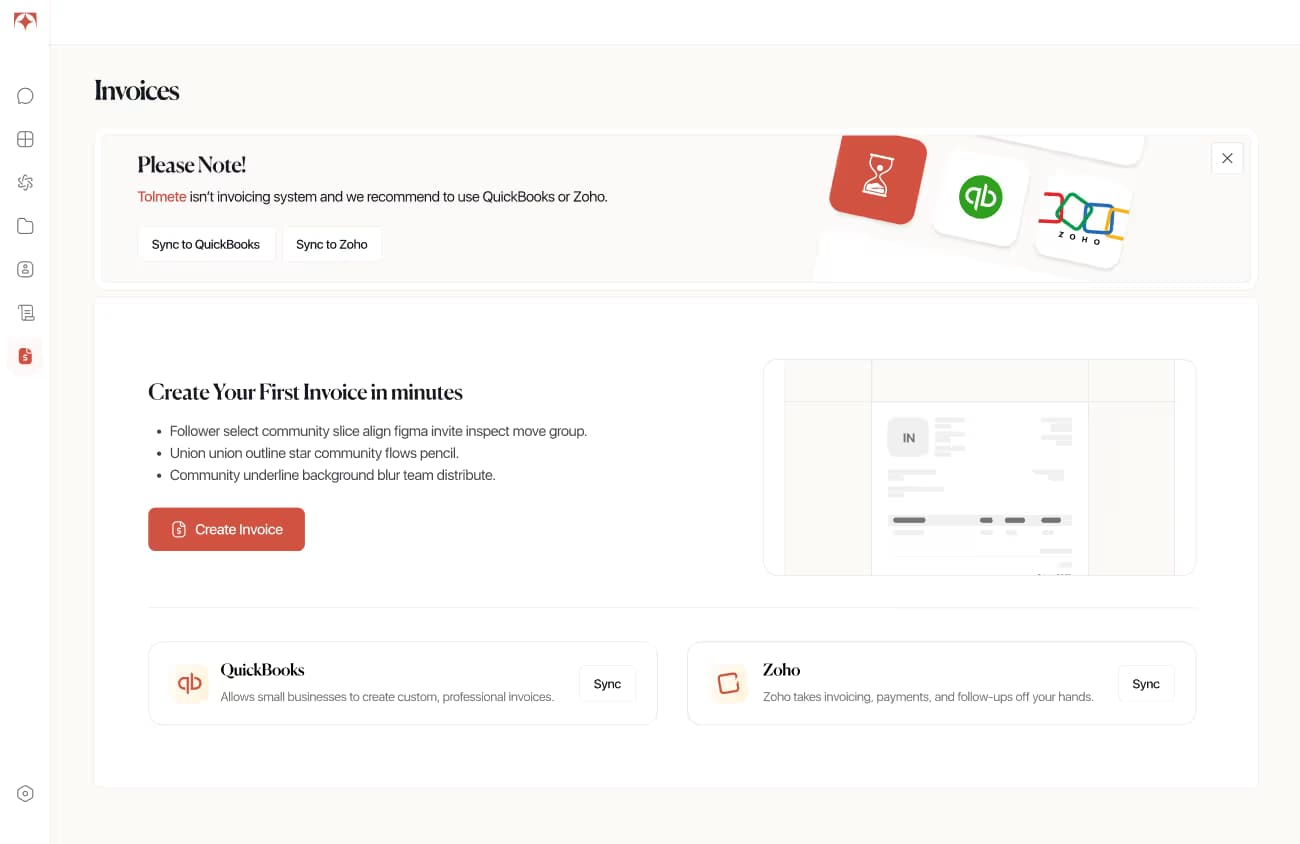
Tolmete Basic Invoicing helps service companies create invoices from tracked hours directly inside the platform where work is already logged. Select a client, choose a project and billing period, set rates, and send a professional PDF invoice — without moving data into another tool.
The Problem
Most service companies already have the data they need before billing begins: tracked hours, project context, activity types, and client details. The gap arises when that data must be exported, cleaned, and rebuilt in another tool before the client can be billed.
Tolmete removes that handoff with a built-in invoice builder that works directly from project time logs. Teams can move from logged work to a sent invoice without exports or reformatting.
Every hour logged in Tolmete is already structured by project, activity, and contributor. The builder reads that structure and converts it into activity-based line items, so the billing data is ready before the invoice is opened.
01/09
See How Hours Become
Invoices Inside Tolmete
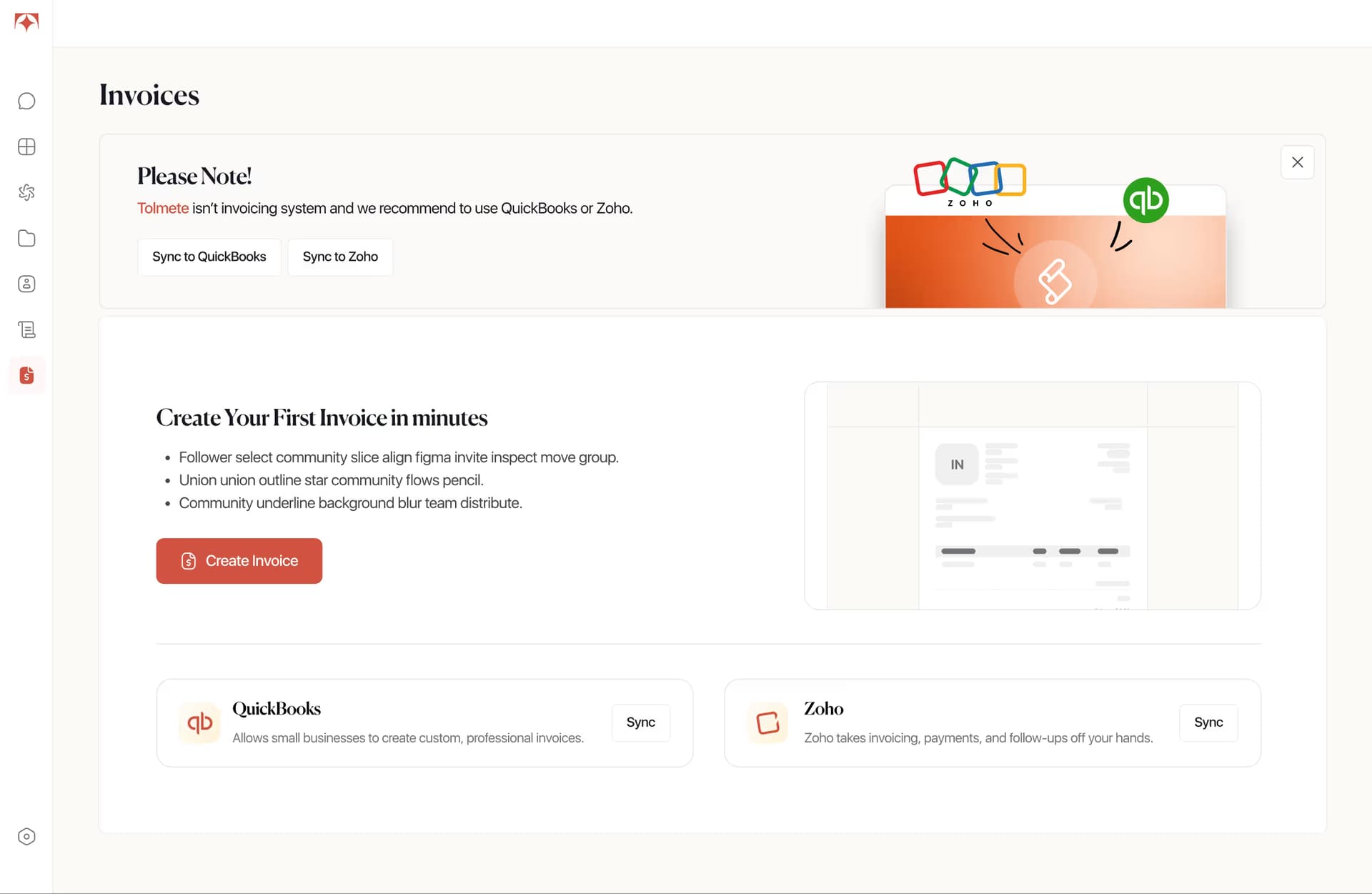
Watch the invoice builder pull project hours, group them by activity, and generate a client-ready PDF, without a single export or spreadsheet.
How It Works
Basic Invoicing keeps the billing workflow close to actual delivery. Instead of treating tracked hours as raw data that needs to be exported and rebuilt elsewhere, Tolmete uses project time logs as the starting point for a client-ready invoice.
01/04
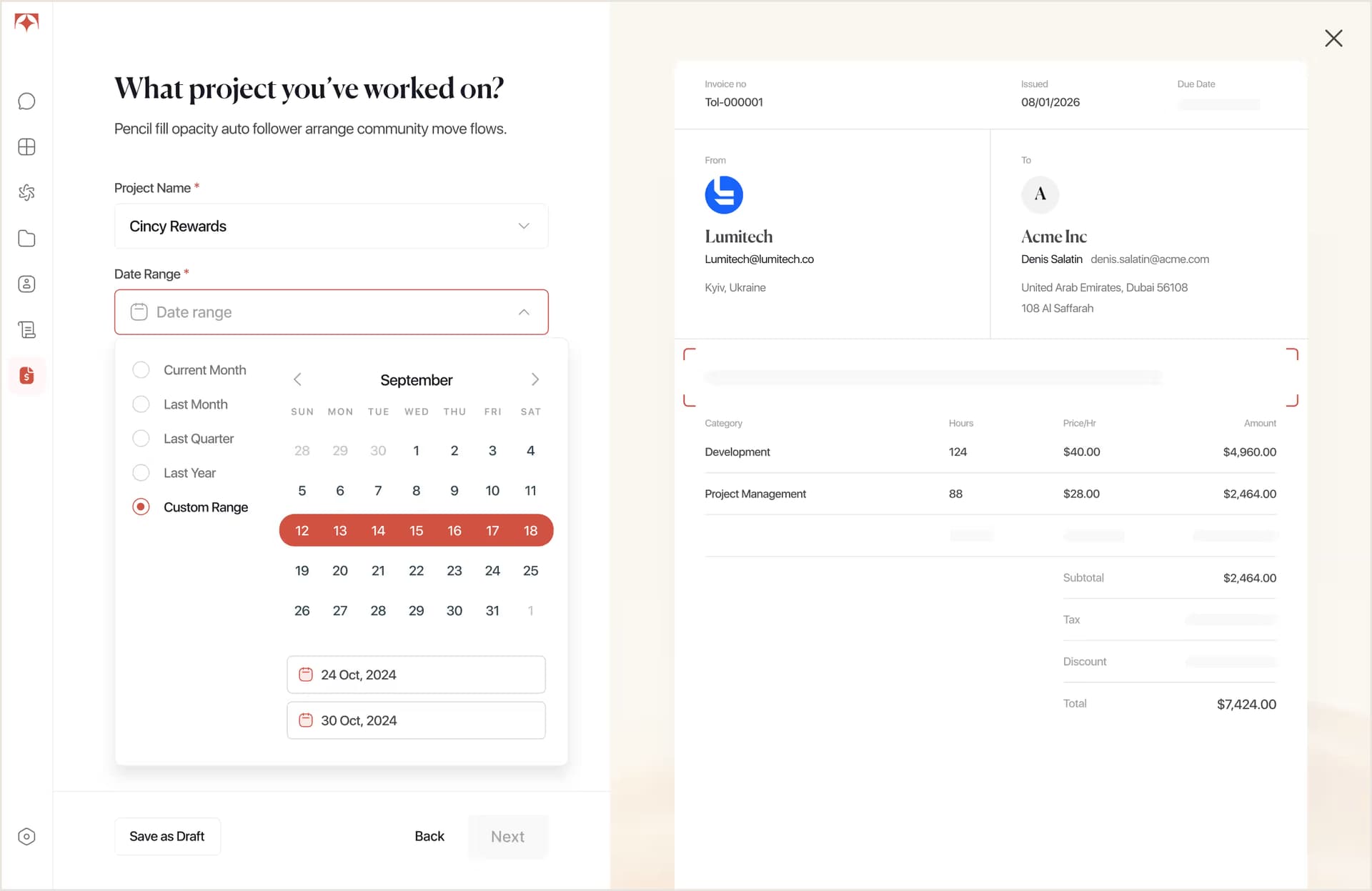
Choose the client, project, and billing date range. Tolmete automatically pulls the relevant time logs, so invoice preparation starts without exports or manual reformatting.
Key Capabilities
Keep your billing workflow inside the workspace where project hours are already tracked. By using logged work as the source for every invoice, Tolmete reduces manual data entry, duplicate work, and extra billing admin.

Tolmete groups tracked hours by Activity Tag and prepares invoice line items for review, so billing data is already structured before editing begins.
Set hourly rates per Activity Tag, adjust line items, remove entries, or add new ones before sending. The real-time invoice preview updates as changes are made.
Tax and discount fields update subtotals and final totals as invoice details change, so teams can review the numbers before sending without manual recalculation.
Download a professional PDF invoice or send it directly from Tolmete. Email invoice delivery includes CC recipient support for teams that need additional stakeholders copied.
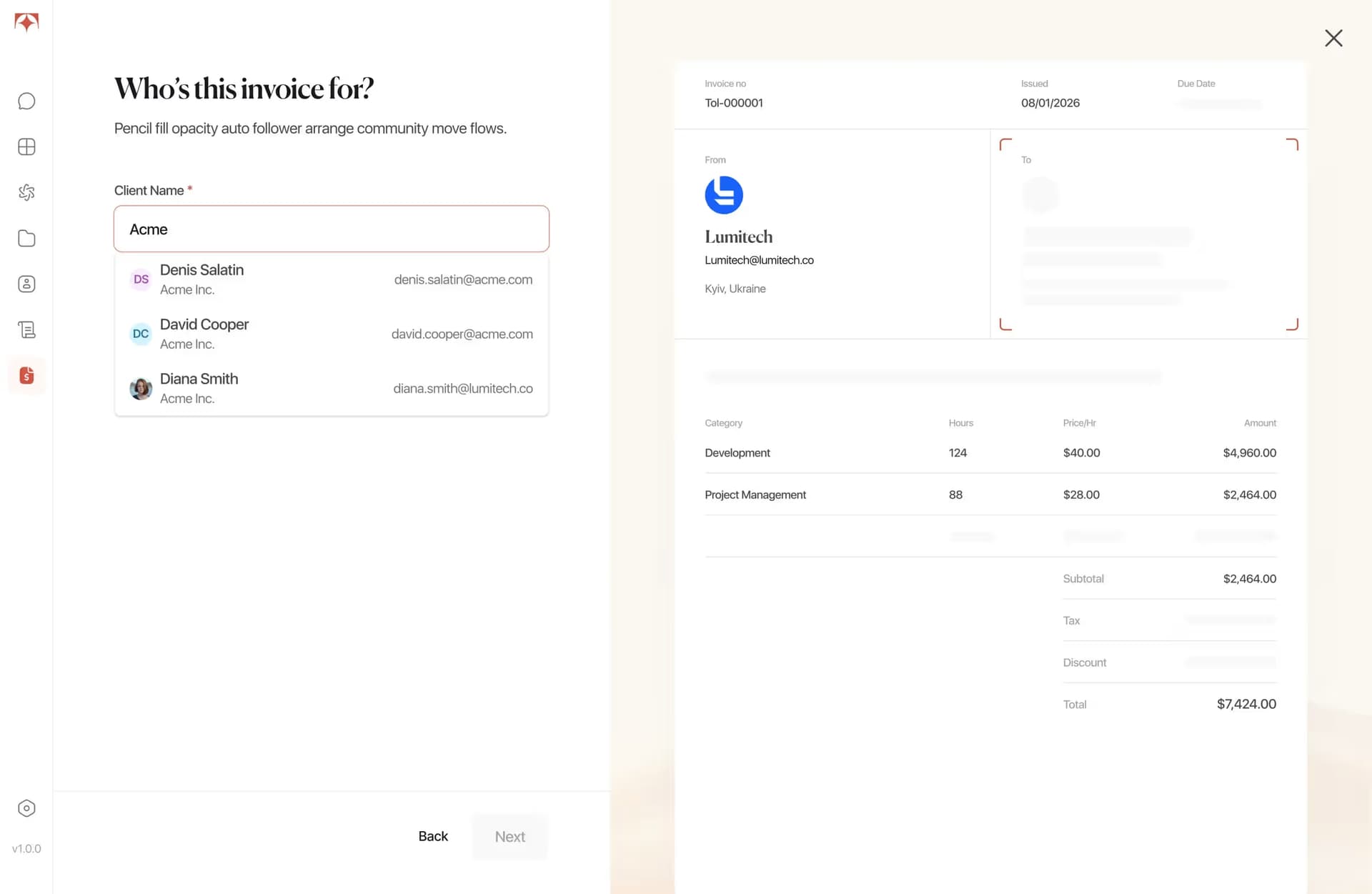
Each invoice built in Tolmete gives clients a clear, professional view of the work billed. The structure answers the questions clients usually ask: what was done, how much time it took, what rate applied, and what the total comes to.
Tolmete uses your organization’s billing information and saved client details from the client catalog, so teams do not re-enter the same data every billing cycle.
Each service line shows the Activity Tag, hourly rate, total hours, and subtotal, giving clients a clear view of how billed work is structured.
Subtotal, tax, discount, and final total appear in a single clear summary, so clients can understand the amount due and how it was calculated.
Each invoice includes a unique invoice number and optional due date. If no number is entered manually, Tolmete generates one automatically.
Watch the invoice builder pull project hours, group them by activity, and generate a client-ready PDF, without a single export or spreadsheet.
Built for Lightweight Billing
Basic Invoicing is built directly into Tolmete for service companies that need a straightforward way to invoice clients from tracked project hours. The billing workflow stays in the same workspace where hours are already logged, without a separate invoicing tool, complex setup, or extra subscription.
Project hours, client details, and activity data are already structured inside Tolmete. The invoice builder reads that data directly, so billing starts where the work ends.
Basic Invoicing eliminates the handoff between tracking work and billing. Hours, rates, and client details stay in one place from the first log to the sent invoice.
Every invoice follows the same structure, creating a clean PDF that clients can review and approve with confidence.
01/09
Why Tolmete is Different
Manual invoicing treats every billing cycle as a separate project. Tolmete keeps billing within the same workspace where hours are already tracked, so the data does not have to move before the invoice is built.
Without Tolmete

With Tolmete
Traditional reports tell clients what happened after someone spends time building them. Tolmete gives clients a transparent, up-to-date reporting view when they need it.
Get Paid FasterWithout Building Invoices by Hand
Every billing cycle starts with data that is already in Tolmete: tracked hours, saved client details, and structured activity logs. The invoice builder uses that data to create a professional PDF invoice in minutes, ready to send without leaving the platform.
FAQ
Everything you need to know about Tolmete.